SIGNAL / TOOLS

VS Code Local harness removal in February 2027: how to migrate

SOURCEGitHub
PUBLISHEDNovember 16, 2026
LAYERTools
SIGNAL SCORE28/100
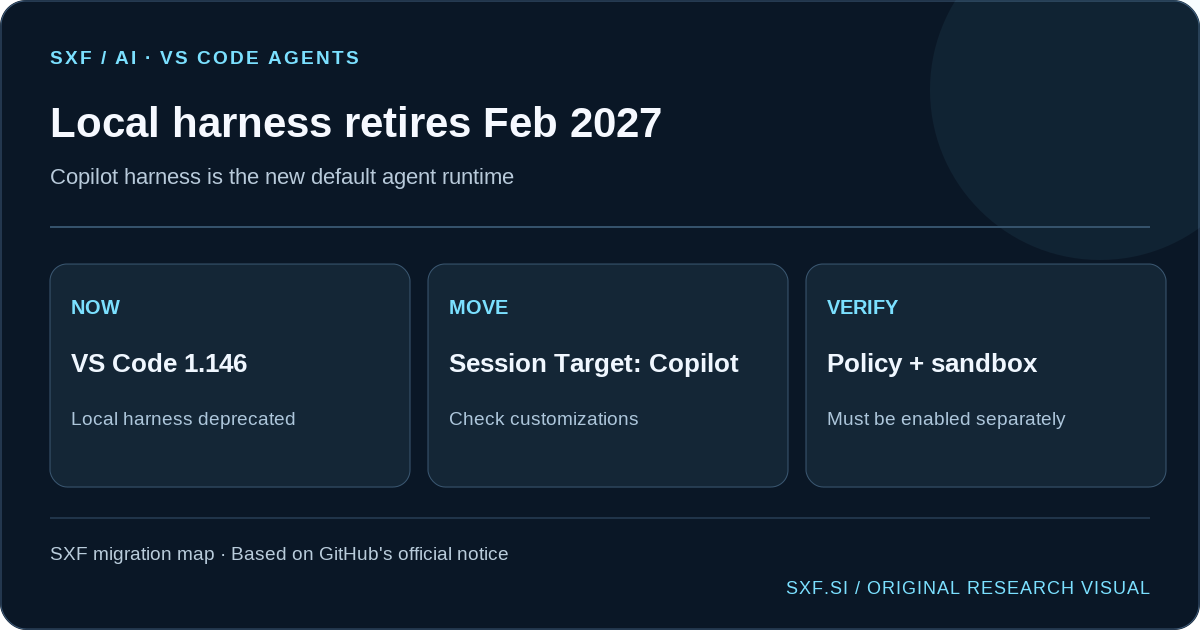
SXF diagram comparing VS Code's older Local harness and newer Copilot harness with the February 2027 migration date.
Original SXF version migration overview based on GitHub's VS Code Local harness retirement statement.

SXF VERIFIED BRIEF

VS Code 1.146 marks the older Local agent-session harness deprecated; GitHub plans removal in February 2027.

WHY IT MATTERS

Agent runtime migrations can change permissions, connector access and customization behavior; early testing avoids breakage in individual and managed workstations.

WHAT TO VERIFY

A local computer remains usable. New managed permissions and sandboxing are possible but not activated merely by selecting a different harness; organizational policies govern behavior.

SXF RESEARCH EXPLAINER

What the technical evidence means.

Source-grounded analysis

TECHNICAL ANALYSIS / 01

What is being retired in VS Code 1.146?

The Local harness is an older component coordinating the model, context and tools for Copilot agent sessions inside VS Code. GitHub says the replacement Copilot harness became the default for new sessions starting with version 1.143; version 1.146 marks the older target deprecated, and removal is scheduled for February 2027.

A harness is not a model and the deprecation is not an instruction to uninstall VS Code. Developers can continue running commands on their own machine, and their files are not automatically migrated to a remote cloud simply because they choose the newer session target. This is distinct from the November 16 retirement of particular Copilot models.

Check primary-source evidence ↗

TECHNICAL ANALYSIS / 02

How do you switch from Local to the Copilot harness?

GitHub instructs users who still select Local to start a new agent session and choose Copilot under Session Target. Before February 2027, compare the new session's tools, approvals and instruction files with the workflow you currently depend on. Do not assume every customization is transformed automatically between runtime targets.

For an administrator, check whether vscode.temporaryDefaultToLocalHarness is enforced through a managed configuration. That exception will not preserve the old harness after its removal. A staged rollout with a known task list is safer than changing the default for every developer without testing the connected editor tools and required enterprise permissions.

Check primary-source evidence ↗

TECHNICAL ANALYSIS / 03

What changes with the Copilot harness—and what does not?

The newer harness uses a runtime shared with Copilot CLI and the GitHub Copilot app, and supports sessions that can continue between the editor and Agents window while Agent Host remains active. GitHub also points to optional capabilities such as Fusion-assisted model choice, managed permission handling, preview connectors and interactive task canvases.

Those capabilities are subject to entitlement, policy and feature availability. Crucially, GitHub says selecting Copilot does not turn on a sandbox. Organizations need to configure and verify runtime permissions and sandbox restrictions separately; sensitive repositories should keep human review and limits on destructive tool operations.

Check primary-source evidence ↗

TECHNICAL ANALYSIS / 04

SXF migration test plan for a development team

Choose a representative branch and a bounded set of tests: ask an agent to summarize a repository, apply a small fix, run tests, request a tool call it should not approve automatically, and reopen or continue its session. Compare permissions, task completion, modifications and any custom instruction behavior under the two targets before the retirement deadline.

Record IDE version, Copilot plan, organization policy, connector status and which commands ran locally. Preserve a rollback strategy during the transition window and a manual alternative after it closes. Our AI agent security guide provides additional context for prompt-injection exposure and approval gates when coding tools read untrusted repository content.

Check primary-source evidence ↗

SXF FIELD GUIDE / EVIDENCE-LED COMPARISON

Local harness versus Copilot harness: migration differences

Use this comparison to audit a specific editor setup; support depends on client version, plan and administrator policy.

AreaRetiring Local harnessCopilot harness
LifecycleRemoved in February 2027Default for new sessions since 1.143
RuntimeOlder editor agent coordinatorShared Copilot SDK-based runtime
Session continuityLegacy behaviorEditor and Agents window while Agent Host runs
Sandbox enforcementLacks newer managed controlsPossible after separate configuration
CustomizationReview migration manuallyNot auto-converted from Local

Switching does not move local files to a cloud service or automatically activate a sandbox. Check the original evidence ↗

READER QUESTIONS

VS Code Local harness transition FAQ

When does VS Code remove the Local harness?

GitHub specifies February 2027, after deprecation in VS Code 1.146.

Does the Copilot harness run my code in the cloud?

Selecting the Copilot harness does not by itself move local files to the cloud. VS Code can still run agent commands locally.

Will switching automatically enable sandbox protection?

No. GitHub says runtime permissions and sandbox restrictions require separate configuration.

PRIMARY-SOURCE FACTS

What the evidence establishes.

Reviewed 2026-11-17
Announcement date

GitHub dated the announcement November 16, 2026. Primary evidence ↗

Version

VS Code 1.146 deprecates the Local harness. Primary evidence ↗

Removal target

GitHub targets February 2027 for removal. Primary evidence ↗

Default version

The Copilot harness has been the default for new sessions since VS Code 1.143. Primary evidence ↗

Local continuity

GitHub says selecting Copilot does not automatically move local files to the cloud. Primary evidence ↗

Runtime commonality

Copilot harness shares a coding-agent runtime with Copilot CLI and app using the Copilot SDK. Primary evidence ↗

Session continuity

A running Agent Host can maintain a session between the VS Code editor and Agents window. Primary evidence ↗

Approval controls

Assisted permissions may reduce interruptions, but unapproved tool calls still require confirmation. Primary evidence ↗

Managed policy

Administrators can use runtime permissions and sandbox restrictions, but choosing the harness does not enable sandboxing. Primary evidence ↗

Exception removal

The temporary vscode.temporaryDefaultToLocalHarness setting goes away with the retired harness. Primary evidence ↗

Copilot Free

GitHub says compatible Copilot plans including Free can continue; particular capabilities depend on plan and organization policy. Primary evidence ↗

LIMITATIONS

The announcement sets a future removal date and describes product behavior as of VS Code 1.146. It does not guarantee that every legacy customization will be converted automatically, every connector is generally available, or all features are included on Free. Actual tool permissions and sandbox enforcement depend on separate configuration.

PRACTICAL TAKEAWAYS

What readers can check next.

Verification checklist

  1. Confirm VS Code version and session target.
  2. Start a new session and select Copilot under Session Target.
  3. Retest customization, connectors and editor-provided tools.
  4. Explicitly configure managed permissions and sandboxing.
  5. Remove reliance on the temporary Local-default exception before February 2027.

Read the related SXF guides

TOPICSGitHub CopilotAI AgentsCoding AI
MODELSNo named model detected