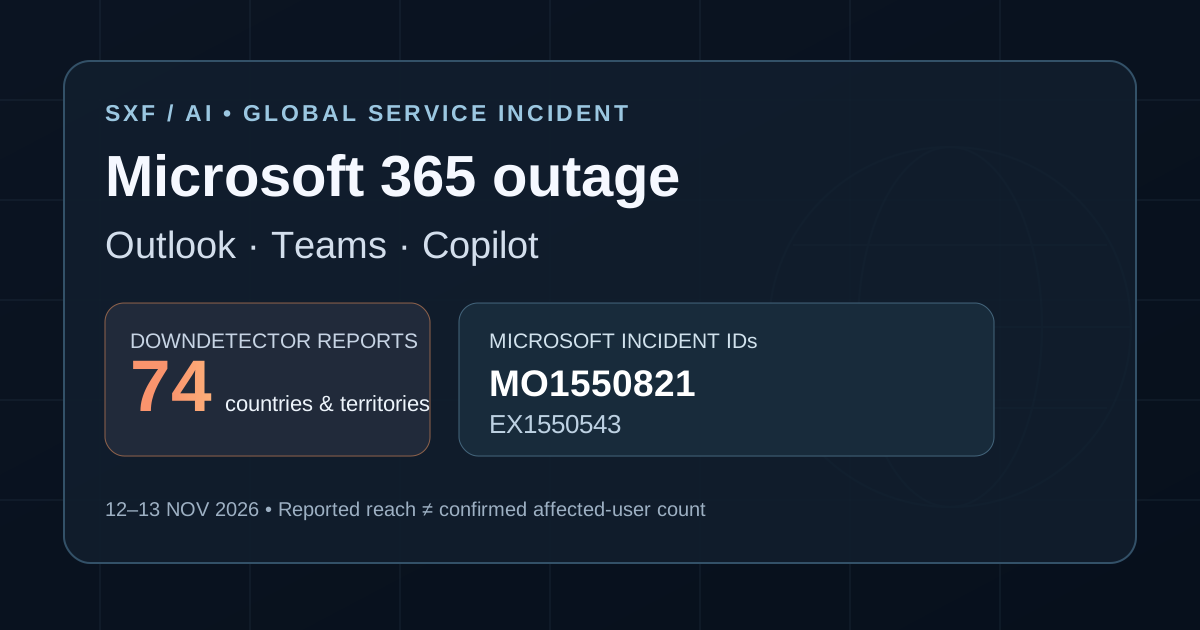
What happened: A widespread Microsoft 365 service disruption on Thursday, November 12, affected users trying to access Outlook mailboxes and other Exchange Online-dependent workflows. The consequences spread to some Microsoft Teams, Microsoft 365 Copilot, SharePoint, security and administration features. By Friday morning, Microsoft had implemented traffic-management and server-stability measures, but its own incident report had not declared a full restoration.
The Microsoft advisory mirrored by the University of Pennsylvania listed incident MO1550821 as service degradation at 09:57 UTC, November 13. Microsoft reported phased improvements, while capacity remained below normal. This is a timestamped snapshot, not a continuously updating live status display. For the newest state, consult the Microsoft 365 service-health dashboard or your tenant's admin center.
Is Outlook down today? What users experienced
The most visible symptom was disruption to Exchange Online, the cloud email platform behind work and school Outlook accounts. Microsoft said affected customers might be unable to open their mailbox through Outlook on the web, desktop MAPI connections, Exchange ActiveSync or REST-based integrations. Messages could also be delayed even when a client appeared to reconnect.
Downdetector recorded a surge of public reports. Reuters reported approximately 138,058 Outlook reports around 1 p.m. US Eastern on November 12, falling to roughly 34,490 by around 6 p.m. Eastern. These are report submissions, not a deduplicated count of affected people, and the number does not quantify all enterprise tenants or infrastructure failures.
Reports were logged from 74 countries and territories within about an hour, according to Downdetector data cited by Euronews. That supports a geographically widespread disruption, but not a precise estimate of lost productivity, impacted customers or the number of devices offline.
Which Microsoft services were affected—and what still worked?
Microsoft's status notice distinguishes services directly blocked from those affected only when they need Exchange data. The difference matters to a user searching “Teams down” or “Copilot not working”: a disrupted mailbox does not necessarily mean every part of Microsoft 365 is unavailable.
| Service | Microsoft-reported user impact | Important scope distinction |
|---|---|---|
| Outlook / Exchange Online | Web and desktop mailbox connections may fail; emails may be delayed. | Primary affected workload under EX1550543. |
| Microsoft Teams | Calendar, scheduling, invitations, live/virtual events and some Exchange-connected features may fail. | Microsoft said most calling, meetings, standard channels and core chat remained functional. |
| Microsoft 365 Copilot | Copilot Chat may fail to load or answer; work-data grounding involving mail, calendar and files may be unavailable. | Not a claim that every Copilot product or every AI model went offline. |
| Microsoft Graph | Mail/calendar/contact requests may time out; dependent app notifications and management actions may fail. | Breaks integrations even when the AI model itself remains healthy. |
| SharePoint / OneDrive workflows | Some sharing and Exchange-related features may be impaired. | Microsoft said accessing files stored directly in SharePoint remained functional. |
| Defender, Purview, Planner, other tools | Some portals, security policies, work items and data-protection workflows may fail or lag. | Severity varies by workload and tenant; see MO1550821 for specifics. |
Source: Microsoft 365 service-health incidents MO1550821 and EX1550543, mirrored from a Microsoft 365 admin console. The published advisories include several additional enterprise functions; the table highlights the main user-facing categories.
What caused the Microsoft 365 outage?
Microsoft initially described elevated infrastructure load in multiple regions and servers failing automated health checks. Its subsequent investigation found that many servers had become unexpectedly unavailable, concentrating traffic on the remaining capacity. In other words, the elevated load was not necessarily evidence of a sudden wave of legitimate users; the effective capacity of the service had dropped.
Later updates described an overloaded process involved in establishing secure connections on affected machines. Microsoft explored traffic isolation, restarts, rollback of a recent network configuration change and targeted patches. By the morning of November 13, Microsoft reported improving server stability after deploying a patch associated with an upstream authentication/routing configuration component, then expanded it in phases.
The final root cause was not confirmed at the reviewed cutoff. Microsoft said it had no evidence of malicious activity associated with the incident and intended to publish a post-incident review. A suspected configuration correlation is not the same as a completed root-cause investigation, so describing the outage as a confirmed cyberattack—or attributing it definitively to one software update—would go beyond the evidence.
Timeline: Microsoft 365 incident on November 12–13, 2026
— Exchange incident begins
Microsoft's EX1550543 record lists the Exchange Online mailbox-connectivity impact starting at this time.
— Wider Microsoft 365 impact recorded
MO1550821 documents other Microsoft 365 functions affected beyond Exchange Online.
Nov 12, US afternoon — Outage reports surge
Public reports peak at approximately 138,000 for Outlook; Microsoft redistributes traffic and restarts affected servers.
Nov 12–13 overnight — Initial recovery proves unstable
Some restarted infrastructure becomes unresponsive again as traffic returns, prompting targeted traffic restrictions and further validation.
— Targeted patch shows improvement
Microsoft reports greater stability after an authentication/routing component patch, expanding the rollout.
— Phased recovery continues
Microsoft says telemetry and customer reports show incremental improvements, but service health remains variable and capacity is not fully back to baseline.
All times are in UTC; Germany is on CET (UTC+1) on November 13. Status timestamps refer to the Microsoft incident record, not a live SXF monitoring feed.
SXF analysis: why Copilot and AI connectors were vulnerable
SXF / AI · ORIGINAL ANALYSIS
AI models can be operational while the data layer around them fails.
The Microsoft 365 interruption illustrates a dependency that ordinary “AI assistant uptime” measurements can miss. Copilot experiences and third-party AI tools often need fresh business context—mail messages, calendars, documents and permissions—before a useful answer can be generated. When an upstream identity, messaging or Microsoft Graph pathway fails, a model may still compute text while the assistant cannot retrieve the data needed to complete the user's request.
Reuters reported that Microsoft 365 connectors used by OpenAI and Anthropic were also disrupted. OpenAI was investigating broken new connector connections and tools not working as expected; Anthropic identified an upstream provider issue affecting its Microsoft 365 connector. These reports do not establish a general outage of ChatGPT or Claude's underlying models.
For enterprise AI deployments, the practical failure domains form a chain: assistant interface → identity and permissions → connector/API → enterprise data source → model response. An incident at any dependency can make the whole workflow appear broken. Incident dashboards and vendor service-level objectives should therefore include tool-call success, data freshness and dependency health—not only whether the model endpoint returns an answer.
The same reasoning applies to Microsoft Graph automations, workflow engines and agents that synchronize mail or create meetings. An application can return a successful HTTP response from one layer while its business action is delayed or blocked downstream. See SXF's AI coding agent architecture and production AI agent deployment guide for deeper implementation context.
Business impact: why a cloud email incident spread so widely
A cloud collaboration suite concentrates everyday operational dependencies: customer support inboxes, calendars, internal scheduling, identity workflows, security controls and automation connectors. Even partial loss of Exchange Online can disrupt activity beyond email. Associated Press reported effects across government, healthcare, travel and other organizations as the disruption extended into Friday.
The effect is not identical for every customer. An organization whose critical meetings and documentation remained accessible may have had continuity, while another whose work depends on mailbox APIs, calendar scheduling and Copilot work-data access could face cascading failures. The key difference is dependency architecture, not just the logo on the affected app.
For an incident review, teams should measure unavailable minutes by workload, delayed mail delivery, failed task executions, recovery queue length and reliance on alternate communication channels. No verified global estimate of economic losses or affected individuals was available in the sources reviewed, so SXF does not assign a speculative dollar figure.
What users and IT administrators can do during the outage
- Check the official status. Admins should track MO1550821 and EX1550543 in the Microsoft 365 admin center or Microsoft service health. A regional success report is not proof every tenant has recovered.
- Use independent communication channels. If email or Teams calendar invites fail, coordinate urgent work via your organization's approved phone or alternate communication platform.
- Avoid duplicate and destructive actions. Treat queued email, calendar invitations and automated operations as potentially delayed. Repeating sends or workflow actions without checking delivery state can create duplicates after recovery.
- Check integrations separately. Microsoft Graph, third-party connectors and AI assistants may recover at different times. Verify authorizations, new connector connections and retry/error queues after the upstream incident improves.
- Protect security procedures. If Defender or Purview features are degraded, use approved escalation procedures; do not disable protections or bypass compliance policies simply to restore convenience.
- Record the post-incident outcome. After Microsoft issues its promised post-incident report, compare the final root cause with today's preliminary explanations, then update business continuity and vendor-dependency plans.
How SXF verified the story—and what remains uncertain
PennO365 incident mirror reproduces Microsoft's administrator-facing advisories, including MO1550821 and EX1550543, latest visible status and affected service list. This is a Microsoft-origin incident record mirrored by an institutional administrator.
Reuters provides time-stamped Downdetector counts, Microsoft's recovery measures and verified reports about AI connectors.
Euronews, citing Downdetector, reports submissions from 74 countries and territories. It does not prove simultaneous full service loss in every territory.
Associated Press documents disruption across sectors and staged restoration; BleepingComputer identifies the incident's initial technical scope.
Open questions: the final root cause, the full number of affected tenants and users, the total economic impact and the complete restoration time. The article is based on verified records through 09:57 UTC on November 13, 2026. A later all-clear would supersede its incident-state snapshot.
Microsoft 365 outage: frequently asked questions
Is Outlook still down on November 13, 2026?
The last Microsoft advisory reviewed by SXF, at 09:57 UTC on November 13, still classified the wider incident as service degradation. Microsoft described incremental recovery but variable capacity. Verify the live status for your own region or organization.
Were all Teams meetings and chats down?
No. Microsoft reported that most Teams calls, meetings and ordinary messages continued working. Calendar, scheduling, invitations and other Exchange-dependent functionality were among the affected features.
Was Microsoft Copilot affected?
Yes. Microsoft listed issues with Copilot Chat and work-data access in some Microsoft 365 experiences, while separate reports identified problems with OpenAI and Anthropic Microsoft 365 connectors. This does not establish that underlying AI models stopped working.
What caused the Microsoft 365 outage?
Microsoft identified unexpectedly unavailable servers, an overloaded connection process and investigated authentication/routing configuration changes. It had not published a final root cause at the reviewed cutoff, and it stated that it had no evidence of malicious activity.
Does “74 countries affected” mean all users were offline?
No. Downdetector received reports from 74 countries and territories, but public report locations are not an independently audited count of affected users or full regional outages.
What should Microsoft 365 administrators monitor?
Incident IDs MO1550821 and EX1550543, mailbox availability, delayed email queues, Teams scheduling, Graph API errors, Copilot data access and connected third-party AI workflows.